On-demand Reports
This feature is in beta
CodeRabbit offers a way to generate on-demand reports using the CodeRabbit API.
You will need an API Key to access the CodeRabbit API and generate an on-demand report.
Create an API key
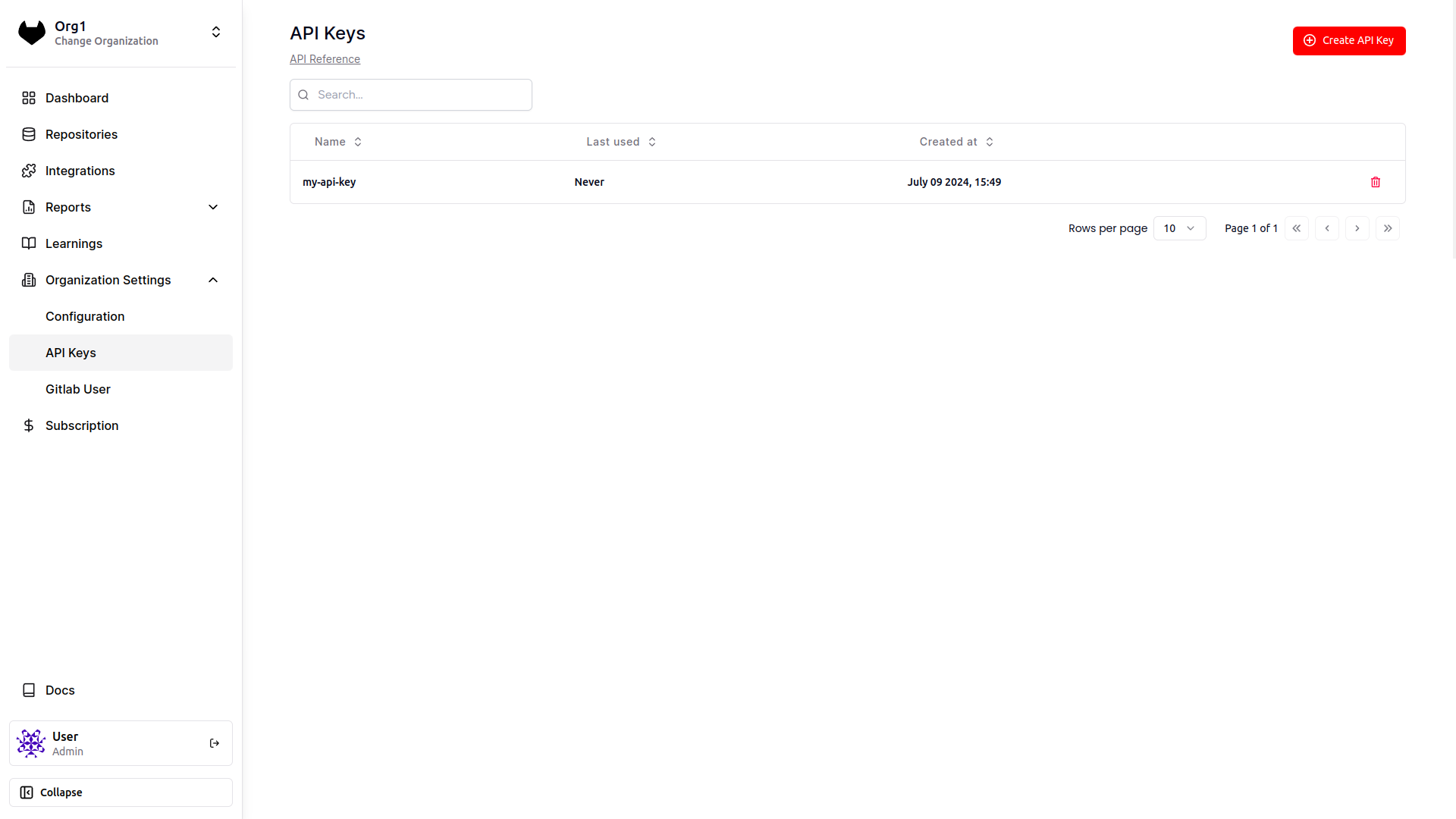
Sign in to your CodeRabbit account and navigate to the API Keys page under 'Organization Settings' in the left sidebar.
Click on the Create API Key button and enter a name for the API Key.
Copy the API key, and keep it safe as it won't be visible again.
Generate an On-demand report
Once you have the API key, pass it in the x-coderabbitai-api-key header when calling the API:
curl -X 'POST' \
  'https://api.coderabbit.ai/api/v1/report.generate' \
  -H 'accept: application/json' \
  -H 'x-coderabbitai-api-key: cr-xxxxxxxxxxxxx' \
  -H 'Content-Type: application/json' \
  -d '{
    "from": "2024-05-01",
    "to": "2024-05-15"
  }'
Sample output:
[
  {
    "group": "Developer Activity",
    "report": "*Developer Activity*:\n\n 🟢 **Update README.md** [#10](https://gitlab.com/master-group123/sub-group/project1/-/merge_requests/10)\n• Summary: The change updates the project description and modifies a section header for clearer instructions.\n• Last activity: 1 day ago, mergeable\n• Insights:\n - :magnifying_glass: @user2 Suggested updating the wording to make it clearer"
  }
]
If you get a 401 UNAUTHORIZED error, check if you're passing the right API key in the x-coderabbitai-api-key header
The on-demand report generation endpoints take in inputs as per the schema shown below: